OrbitPi Stock
Warehouse inventory managementBins, batches, expiry and GST documents in one live record.
- Bins, batches, serials and pallets
- E-way bills and delivery challans
- FIFO and weighted-average valuation
OrbitPi DocAI · AI document OCR
DocAI reads supplier invoices, bank statements, purchase orders, identity documents and your own forms. It extracts every field and line item, checks the numbers, and sends only doubtful values to a reviewer.
Features
What OrbitPi DocAI does today, feature by feature.
Upload single files, batches or ZIP archives, send documents to email intake, or point DocAI at a watched folder. Duplicate files are caught by fingerprint.
PDF, JPG, PNG, WEBP, multi-page TIFF, HEIC, Excel, Word, CSV and email files. Password-protected PDFs such as bank statements need the password once per batch.
Start from supplier invoice, purchase order, receipt, bank statement, credit and debit note, proforma invoice, PAN card, driving licence, vehicle RC and insurance schedule, or define your own.
Capture every table row, and split a stapled scan of an invoice, e-way bill and challan into separate documents automatically.
Confidence comes from checks: field formats, arithmetic, line items adding up to the total, and GST e-invoice QR codes compared with the extracted values.
Reviewers see the source beside the fields, edit inline, approve or reject with a reason, and work through an assigned queue with keyboard shortcuts.
Switch on learned examples from reviewer corrections, and test every change against a golden set of verified documents before it goes live.
Download Excel or CSV with one row per document or per line item, or send approved data to S3, SFTP, a webhook or a database table.
How it works
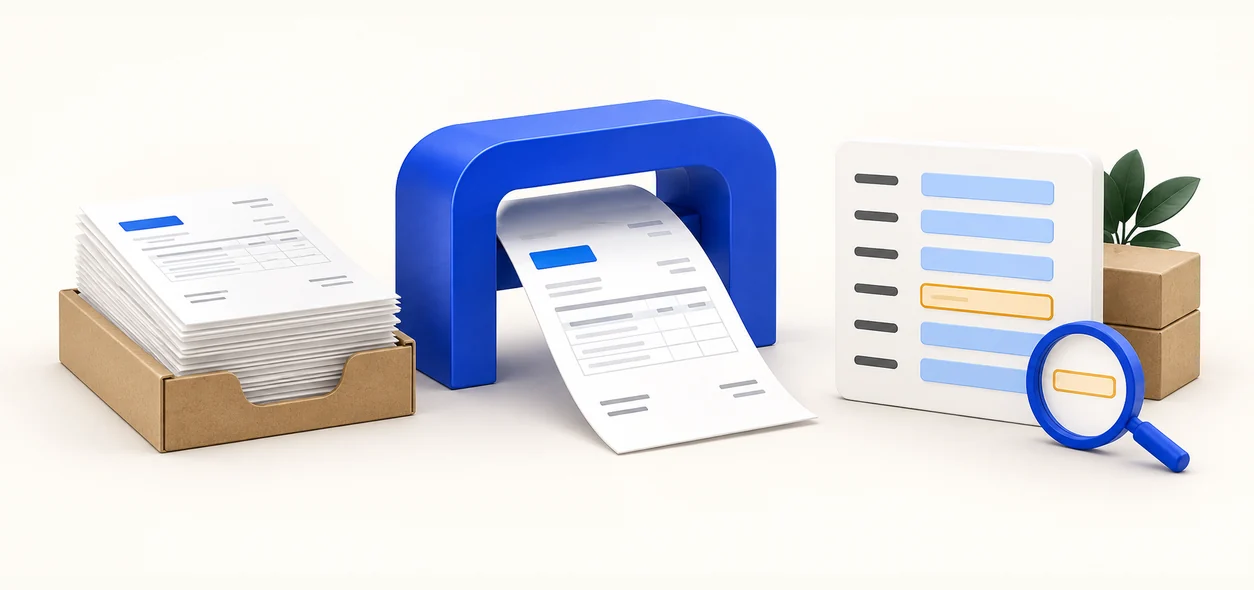
Documents arrive by upload, ZIP, email or a watched folder.
AI identifies each document type and reads its fields and line items.
Automatic checks score every value. Doubtful ones go to a reviewer.
Approved data goes to Excel, CSV or your own systems.
Use cases
Turn supplier invoices, credit notes and debit notes into rows ready for your accounting system, without retyping.
Read password-protected bank statements into structured transactions your team can search and reconcile.
Capture PAN cards, driving licences, vehicle RCs and insurance schedules, with a consent prompt for identity documents.
Popular in: Manufacturing, Distribution, Logistics & 3PL, Retail & e-commerce, Healthcare & pharma, Real estate
Integrations
Get data in and out with the tools you already use.
Leading zeros in invoice numbers are kept, and each value is available as printed and as interpreted.
Approved results are delivered automatically, with retries and a delivery log.
Push each approved document straight into the system you already run.
Map each supplier’s item and unit codes to your own codes once, and reuse them on every document.
FAQ
AI document OCR combines optical character recognition with AI models that understand document layout, so it extracts named fields and tables, such as invoice number, GSTIN and line items, rather than plain text.
DocAI includes ready-made types for supplier invoices, purchase orders, receipts, bank statements, credit notes, debit notes, proforma invoices, PAN cards, driving licences, vehicle RCs and insurance policy schedules. You can add your own document types and fields, such as delivery challans or lorry receipts.
Yes. DocAI extracts line items along with header fields such as supplier name, GSTIN, invoice number and date, and checks that the line items add up to the invoice total. For GST e-invoices it also reads the QR code and compares it with the extracted values.
Yes. Enter the PDF password once and DocAI uses it for every file in the batch.
Accuracy depends on your documents, so DocAI does not rely on the AI model’s own opinion. Each value is scored by checks such as format, arithmetic and QR matching, doubtful values go to a reviewer, and you can measure accuracy against a golden set of verified documents.
Download Excel or CSV files with one row per document or per line item, or deliver approved data automatically to S3, SFTP, a webhook or a database table.
There is no direct Tally connector today. You can download approved data as Excel or CSV, or deliver it by webhook, S3, SFTP or database table to the system you use.
Bins, batches, expiry and GST documents in one live record.
Capture, route and follow up every enquiry on time.
Tag, assign, maintain and verify every asset.
Bring a sample invoice, stock sheet or lead list. We’ll run it live in a 30-minute demo.
Book a demo